You can activate Web Statistics for use on your Ubertor website following these easy steps:
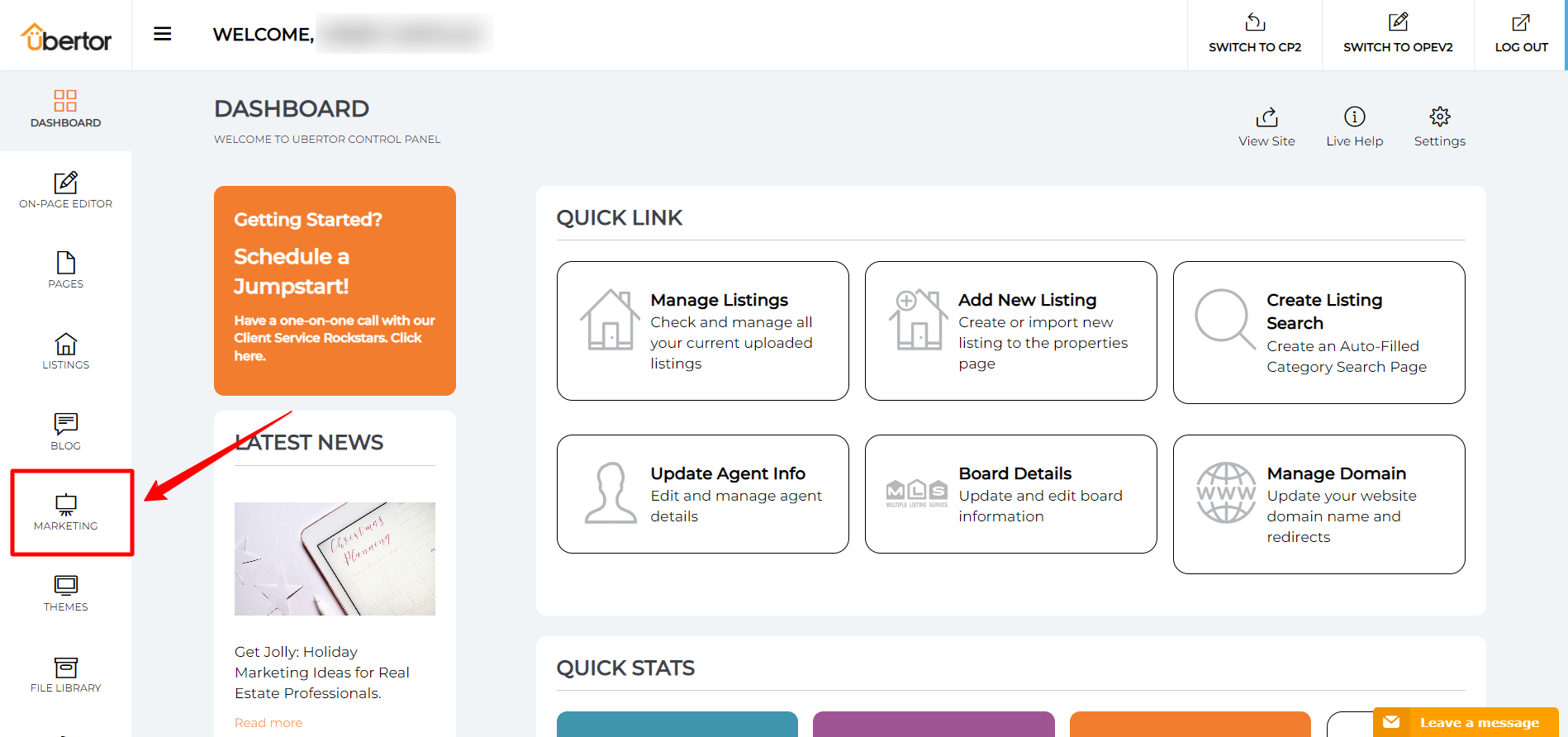
- Log into the Control Panel of your Ubertor website and click the Marketing Icon
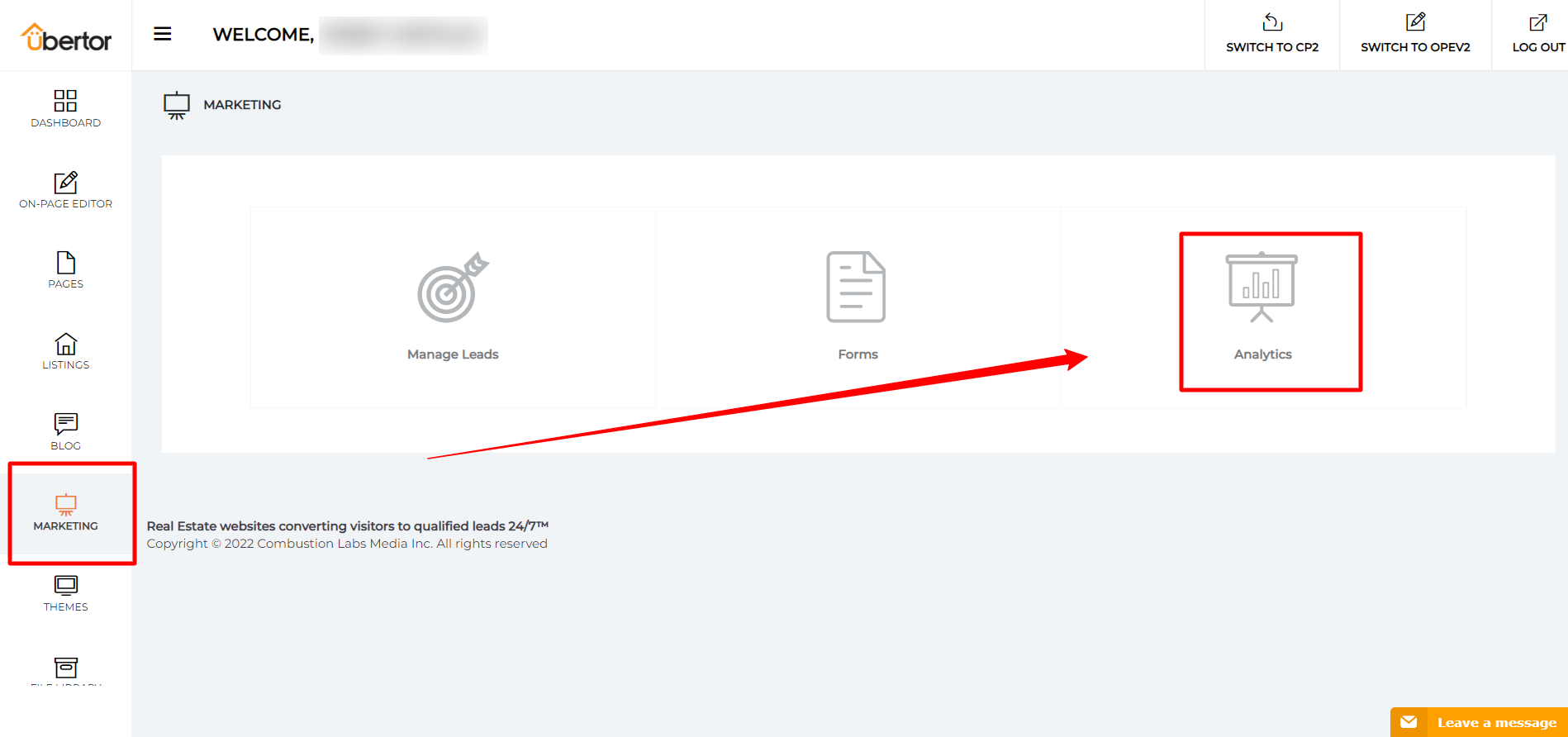
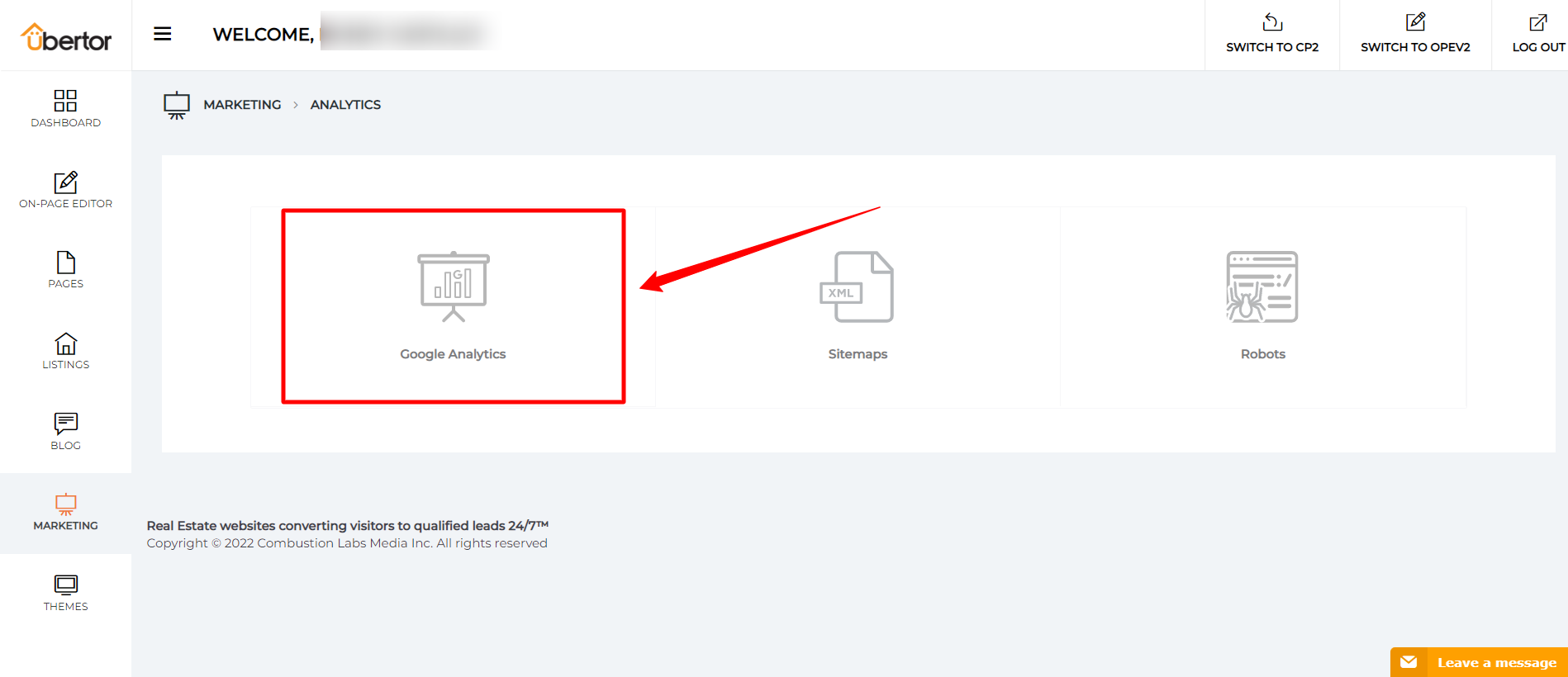
- Click on the Analytics icon and then click on ’Google Analytics’ button
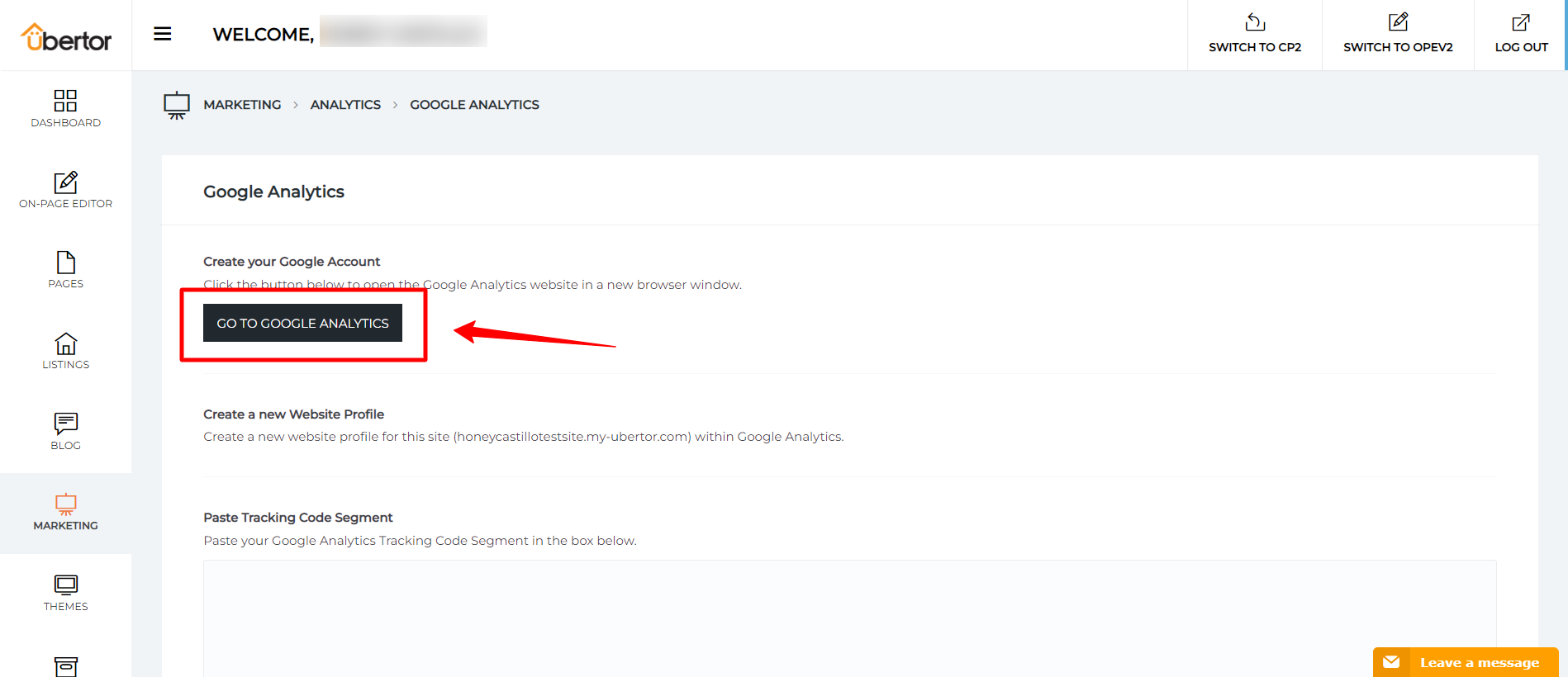
- Click the ’Go to Google Analytics’ button to open the Google Analytics website in a new browser window.
- Create a new website profile for this site (www.yoursite.com) within Google Analytics.
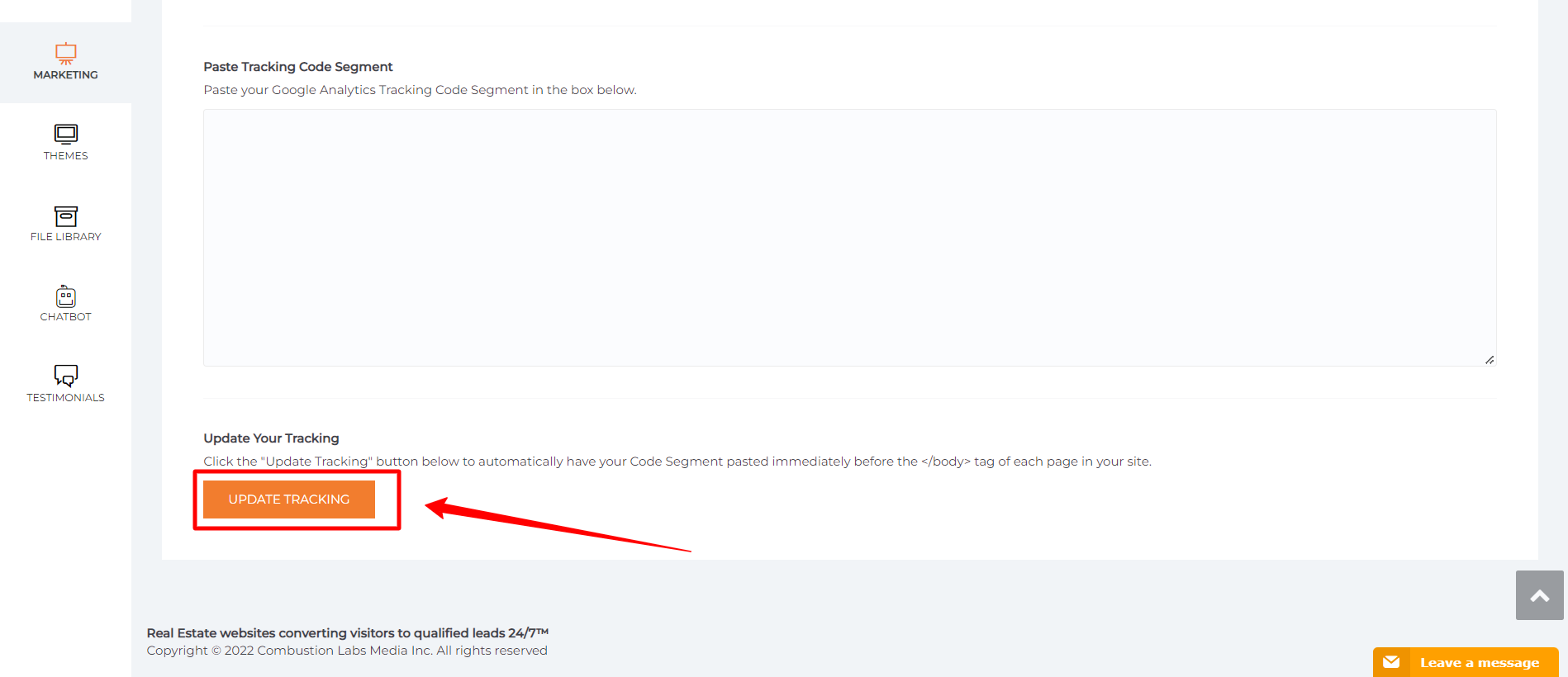
- Paste your Google Analytics Tracking Code Segment in the box.

- Click the "Update Tracking" button.
Congratulations! You’ve successfully configured and setup Web Statistics for use on your Ubertor website.