If you find that the HTML tool in the content editor is stripping and replacing your javascript, try editing the HTML of that page. You can edit the HTML in 5 easy steps:
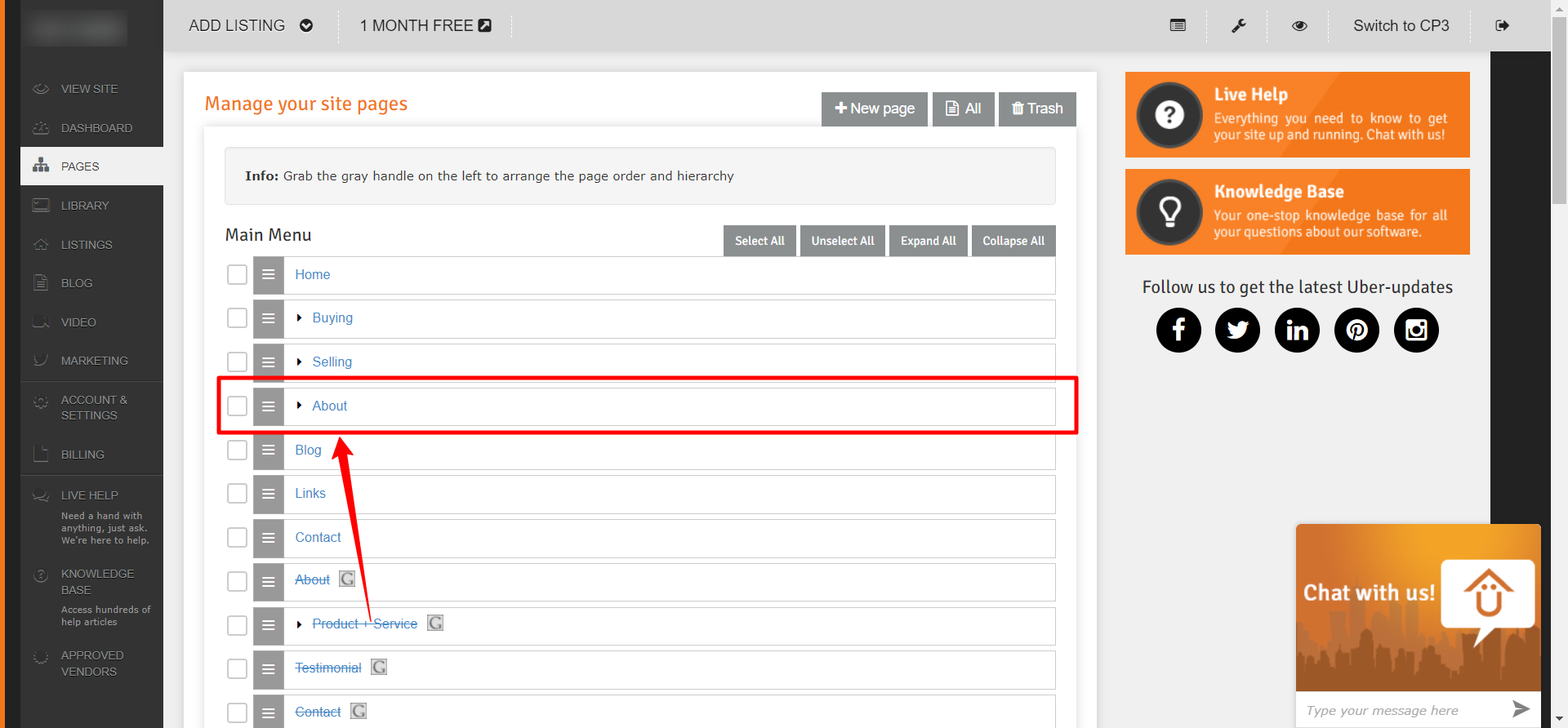
- Login into your Control Panel and click on the ’Pages’ tab on the left menu bar.

- Click on the page you want to edit.
- Scroll down to the Content section and click on the HTML icon.

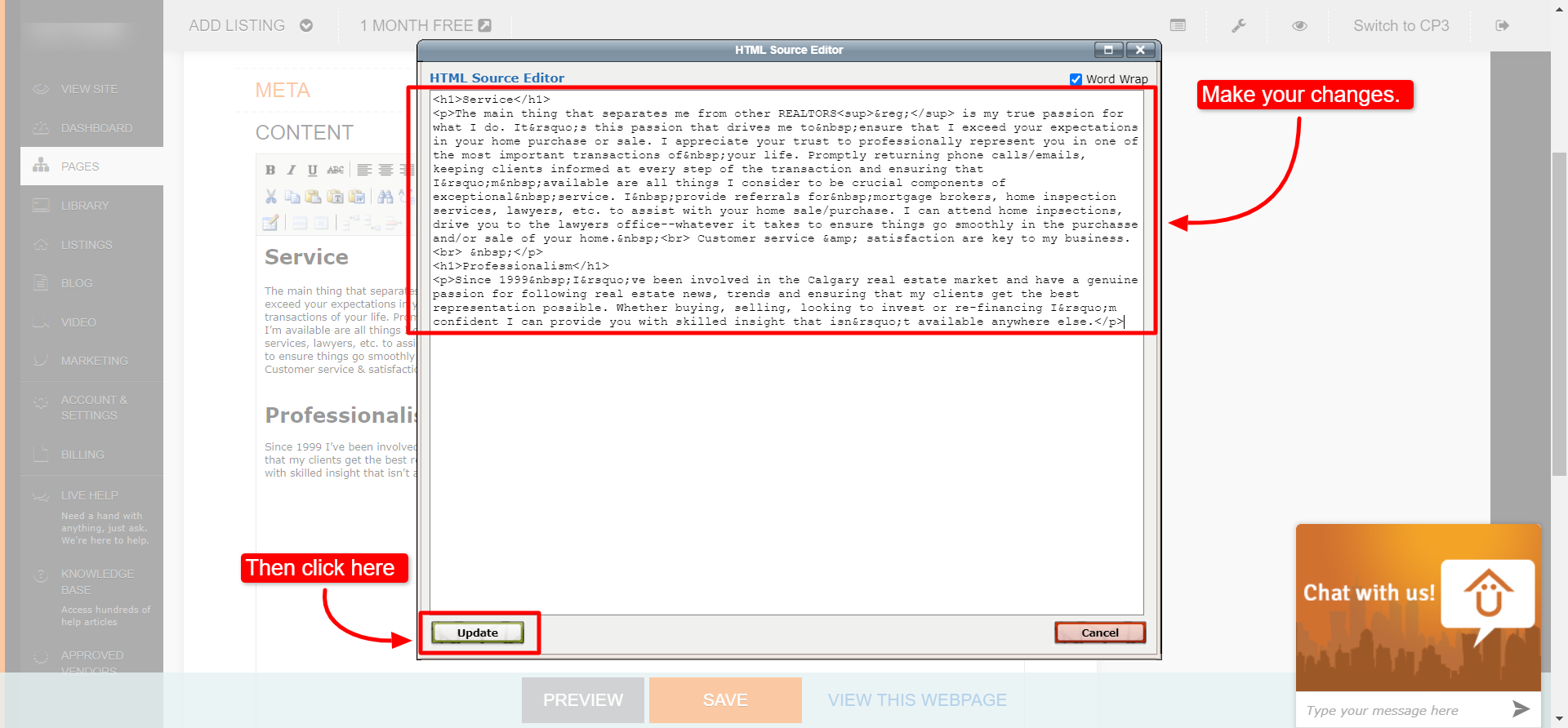
- Make your changes then click the 'Update' button.
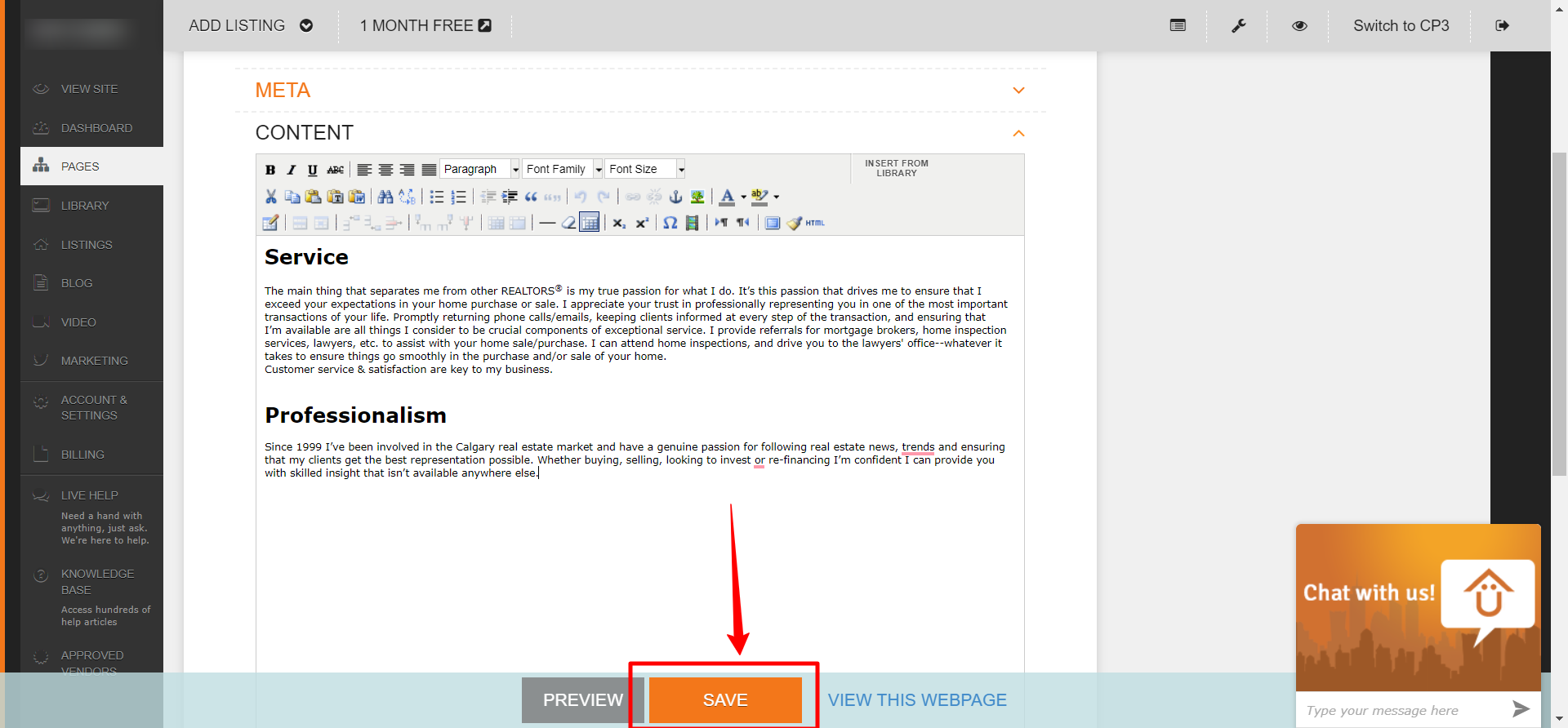
- Click ’Save’
Congratulations! You have successfully edited the HTML of that page.