Every domain that you enter as a non-primary domain will be categorized as a domain alias.
You can manage your Domain Aliases easily from your Ubertor Control Panel in 5 easy steps:
- Log in to your control panel
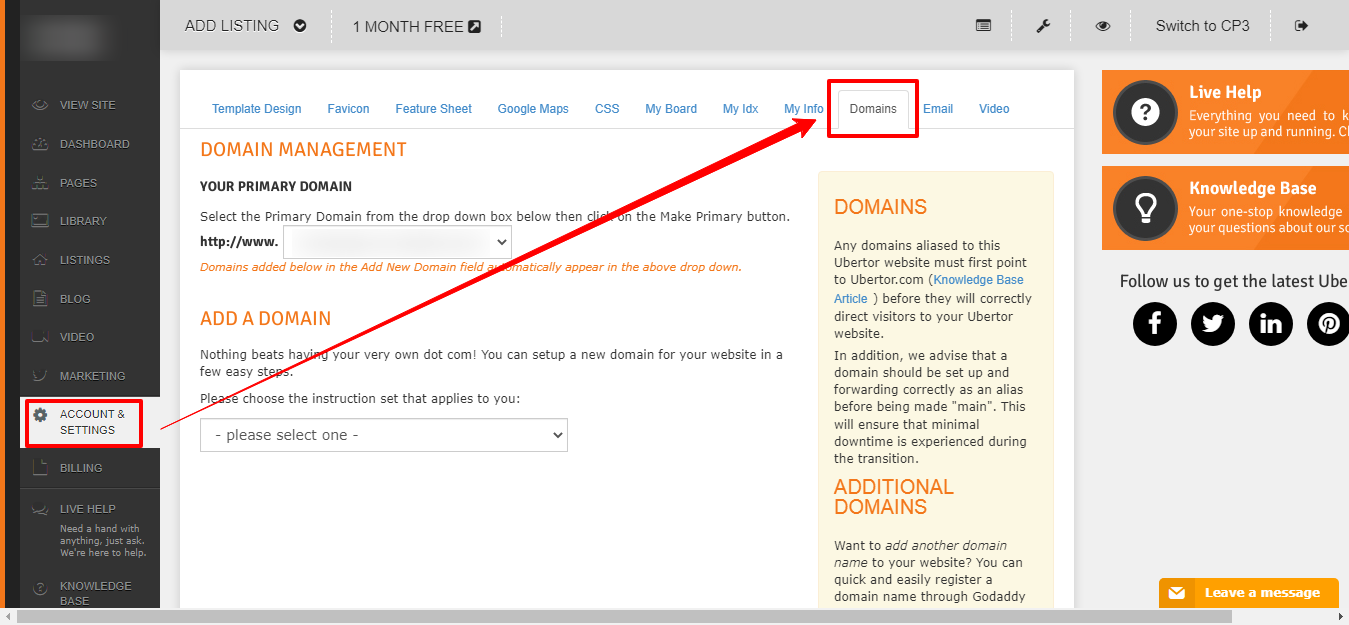
- Click the ’Account & Settings’ tab then click the ’Domain’ tab
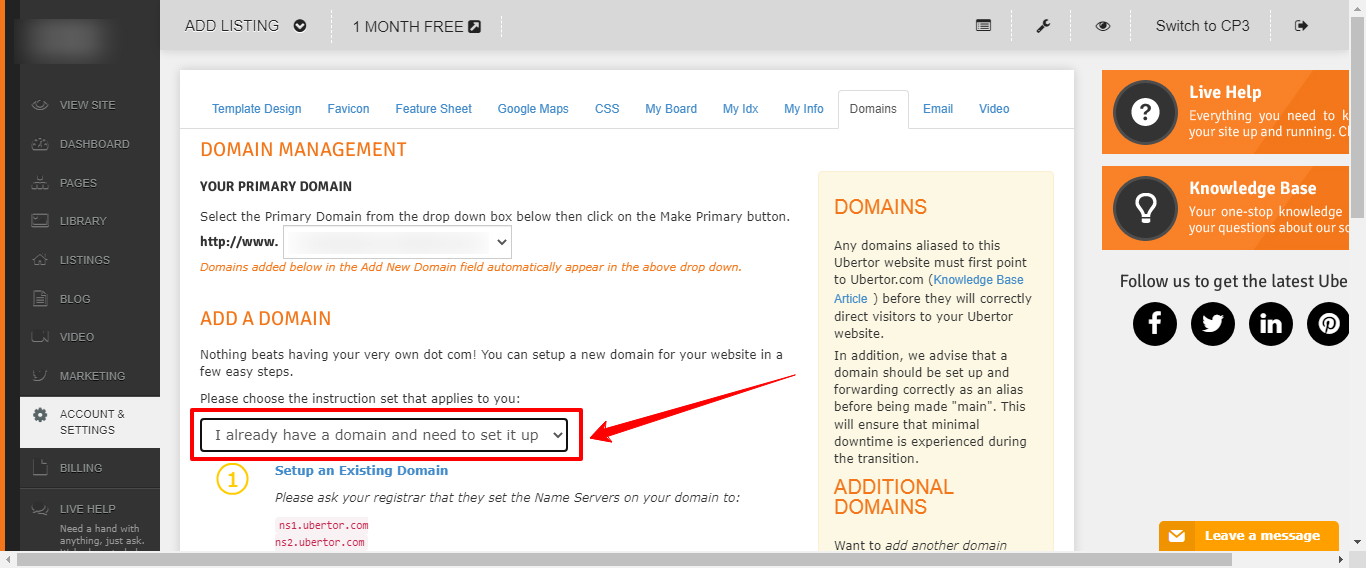
- Please select ’I already have a domain name’
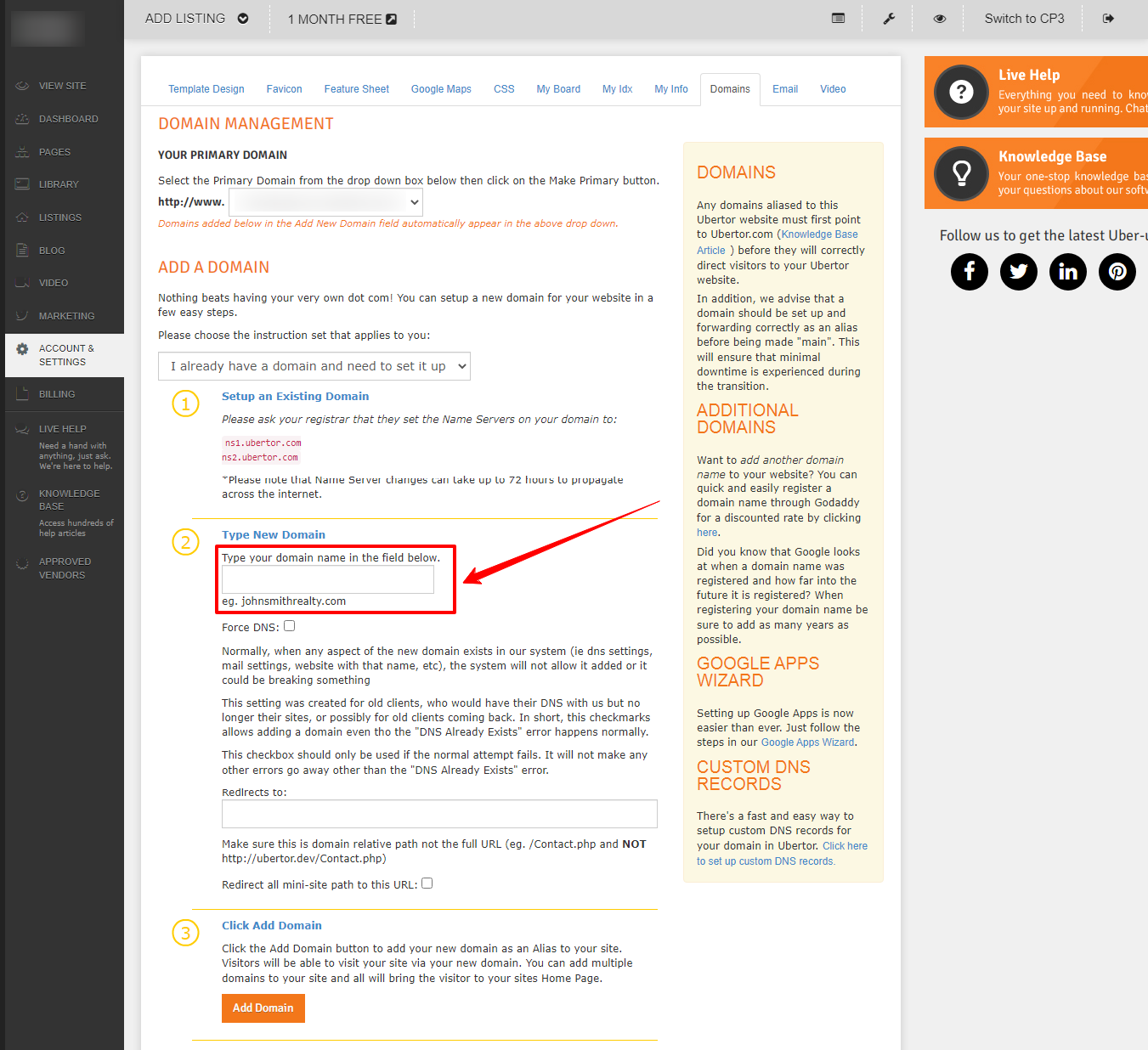
- Insert the domain in the space provided
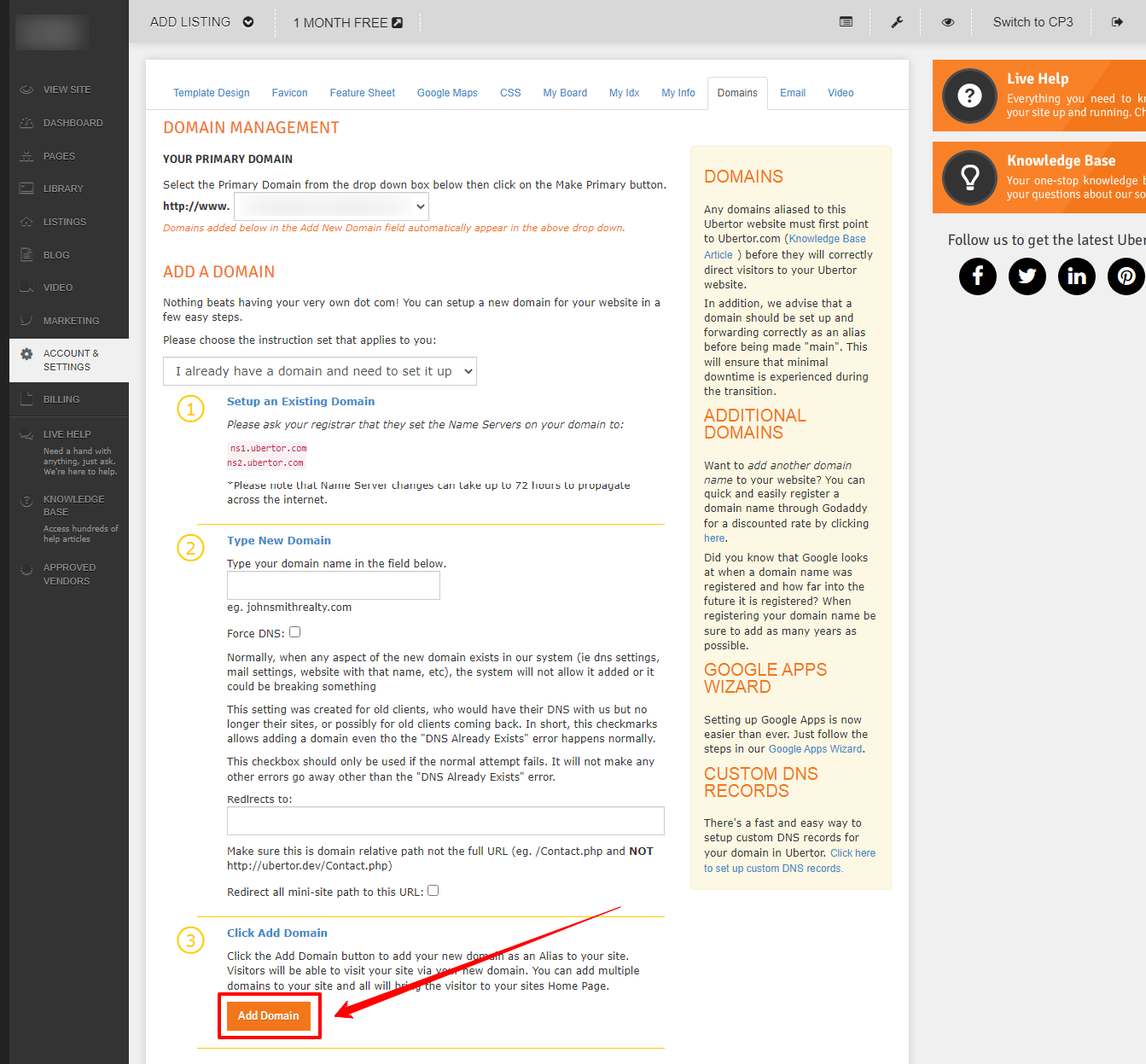
- Click ’Add Domain’
NOTE:
- Any Domain Alias added to your website must point to Ubertors Name Servers in order to work.
- All changes can take up to 24 hours to take effect.
- Domain Aliases work through redirection, so for example, visitors who go to www.johnSmithRealty.ca (domain alias) will be redirected to www.johnSmithRealty.com (primary domain)
Congratulations! You have successfully configured a Domain Alias for your website!